

FBR Digital Invoicing, without the headache
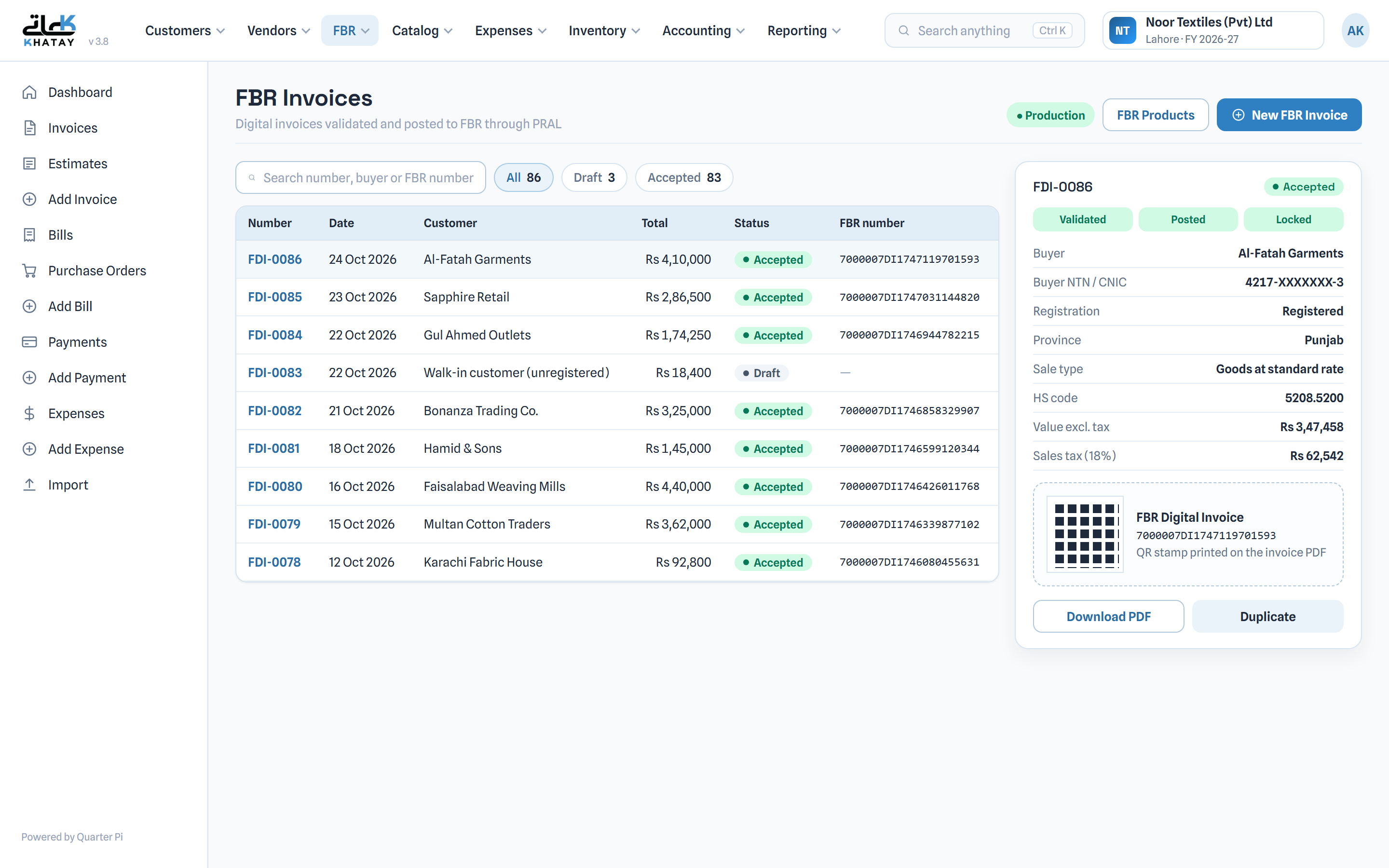
Create FBR digital invoices in Khatay, validate them with FBR before you send, and download PDFs with the FBR invoice number and QR stamp. Use it on its own or alongside your Khatay books.
How it works
From draft to FBR-accepted in three steps
Create the invoice
Start from scratch or from a posted Khatay invoice. Products carry their HS code, sale type, unit of measure and, for 3rd Schedule goods, the printed retail price.
Validate with FBR
Khatay checks the invoice with FBR first, so errors are caught and fixed before anything is submitted.
Post and share
Post to FBR, receive the FBR invoice number, and download a PDF with the FBR logo and QR stamp. Accepted invoices are locked.
Built for compliance
Everything FBR asks for, in one place
Khatay handles the details of the FBR Digital Invoicing API, so your team only fills in an invoice.
- Checks whether a buyer is registered or unregistered
- Province and HS code lookups
- 3rd Schedule items taxed on their printed retail price
- Clear statuses: Draft, Submitting, Accepted
- FBR invoices are separate from your books, so they never change your ledger
Test safely first
Sandbox and Production modes
Run FBR's sandbox scenarios before you go live. Khatay covers all 28 sandbox scenarios (SN001 to SN028) and produces a test PDF for each.
In Production, every live submission needs an explicit confirmation, so nothing reaches FBR by accident.
FAQ
FBR Digital Invoicing questions
Do I need the full Khatay accounting system?
No. FBR Digital Invoicing is available as a standalone plan. If you already use Khatay, you can add it to your plan and create FBR invoices from your posted invoices.
What do I need to connect to FBR?
You need to be registered for FBR Digital Invoicing and have your sandbox and production tokens from IRIS (Digital Invoicing, API Integration). Paste them into FBR Settings in Khatay, test in sandbox, then allow live invoices when you are ready.
Does an FBR invoice change my accounts?
No. FBR invoices are kept separate from your accounting entries, so creating or submitting one never changes your ledger.
Can I sell 3rd Schedule goods?
Yes. Set the printed retail price on the product, and Khatay calculates sales tax on that retail price as FBR requires.
Start issuing FBR digital invoices
Test everything in sandbox before you go live.